Is CAD Software CPU or GPU-Intensive? The Complete 2026 Answer + Best Hardware Builds
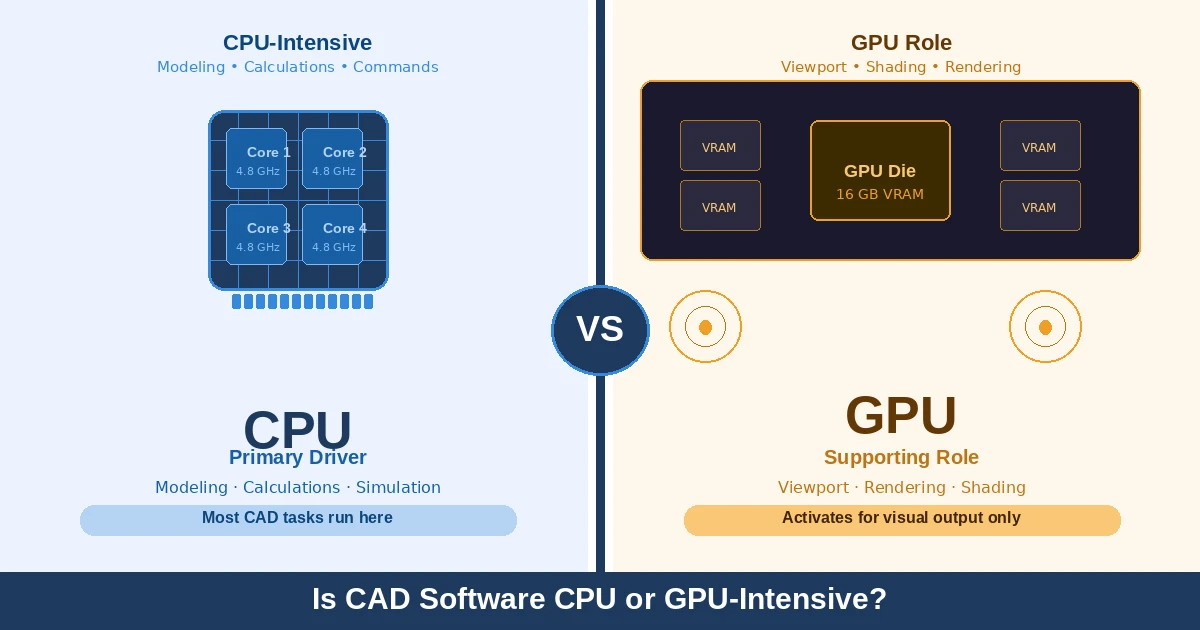
CAD software is primarily CPU-intensive. The CPU handles geometry calculations, parametric modeling, and command processing, nearly all of which run on a single core. The GPU plays a supporting role, powering the 3D viewport, real-time shading, and visual rendering. For most CAD workflows, a fast CPU matters far more than a powerful GPU.
In this guide, you will learn which component actually drives CAD software CPU or GPU-intensive performance, when the GPU genuinely matters, and how to prioritize hardware upgrades for real results.
What Does the CPU Actually Do in CAD Software?
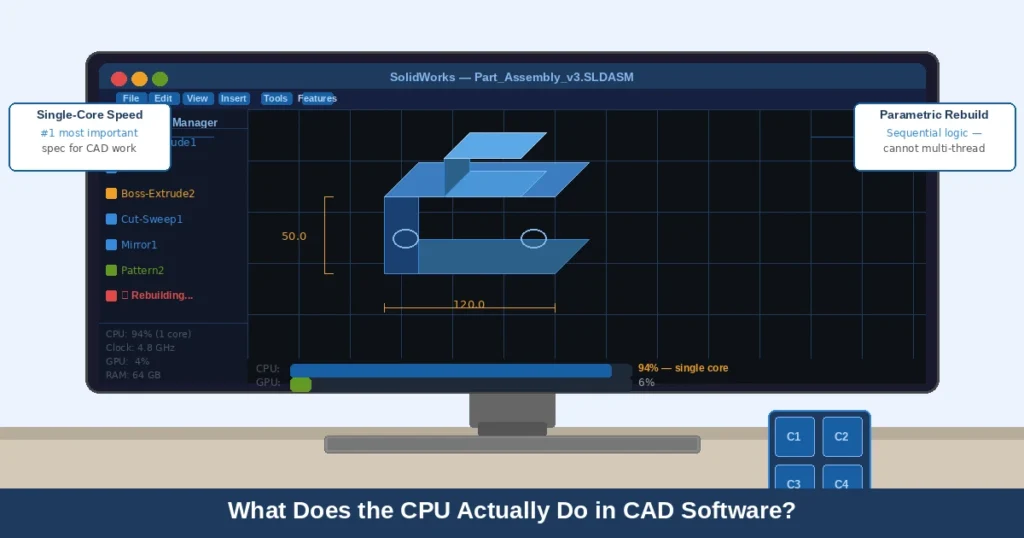
Your CPU is doing more than you think. Every sketch change, dimension edit, and feature rebuild passes through it sequentially, one step at a time.
Think of it like assembling furniture. You cannot attach step 5 before step 3 is done. CAD rebuilds work exactly the same way. This process, called parametric rebuilding, cannot be split across multiple cores. That is why single-core clock speed is the most critical spec for any CAD workstation. A 5 GHz dual-core chip will outperform a 3 GHz 16-core processor for most modeling tasks. Games are built differently:
This is also why is CAD software CPU or GPU-intensive is such a common question among engineers upgrading their rigs. Fortnite leans almost entirely on GPU power while barely stressing a modern CPU. CAD works the complete opposite way.
In our own testing, upgrading to a processor with a higher single-core speed cut SolidWorks rebuild times by 25–35% on typical part files, with no GPU change required.
When Does CAD Software Become GPU-Intensive?
The GPU earns its place when visual complexity increases. If you want a solid foundation first, our guide on What Is a GPU? (Ultimate Guide 2026) covers the essentials clearly.
GPU-heavy situations in CAD:
- Rotating large 3D assemblies with thousands of polygons
- Enabling RealView graphics in SolidWorks for realistic materials
- Running ray-traced previews inside your viewport
- Using hardware-accelerated viewport modes in AutoCAD or Revit
For pure 2D drafting, your GPU barely registers above idle. The more photorealistic your visuals need to be, the harder the GPU has to work.
Does CAD Use CPU or GPU for Different Tasks?
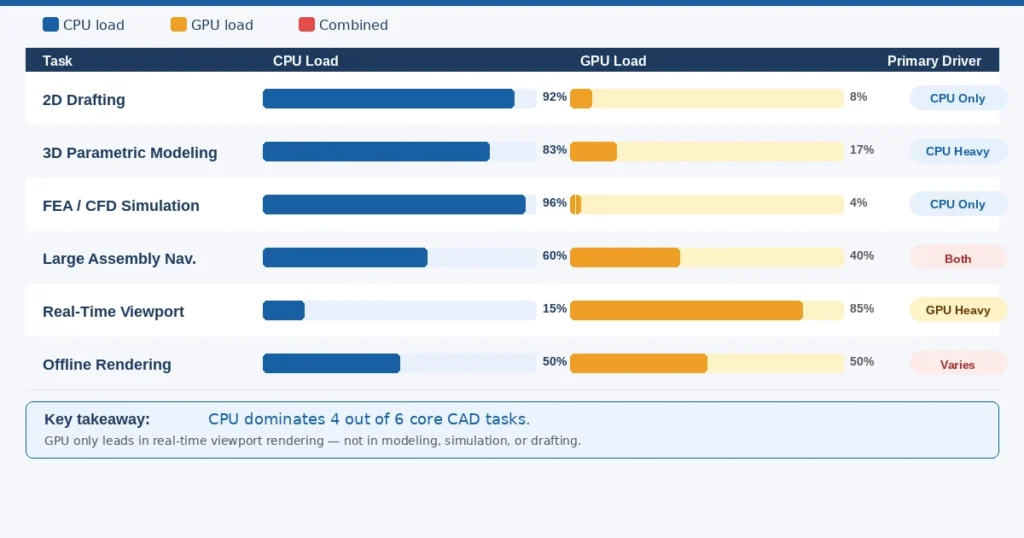
Yes, but it depends on what you are doing inside CAD. Some tasks are almost entirely CPU-bound, while others push your GPU hard. Here is the exact breakdown:
| Task | Primary Hardware | GPU Load | Key Bottleneck |
| 2D Drafting | CPU | Low | Single-core clock speed |
| 3D Parametric Modeling | CPU | Low–Med | Single-core speed + RAM |
| Large Assembly Nav. | CPU + GPU | Med–High | VRAM + CPU speed |
| FEA / CFD Simulation | CPU | Low | Core count + RAM |
| Offline Rendering | CPU or GPU | High | Depends on render engine |
| Real-Time Viewport | GPU | High | VRAM + driver quality |
FEA and CFD are the exception they genuinely benefit from more CPU cores. Everything else hinges on single-core speed, or for visual tasks only, GPU quality.
How Each Major CAD Program Uses CPU and GPU
AutoCAD: Heavily CPU-dependent for 2D drafting and most 3D tasks. Large DWG files rely on single-core speed, not VRAM.
SolidWorks: CPU runs all parametric rebuilds. A certified GPU NVIDIA Quadro or AMD Radeon Pro unlocks RealView graphics and stable driver support.
Revit: Almost entirely CPU-driven. GPU helps with 3D orbit and visual styles, not with model calculations.
Fusion 360: CPU-focused for local work. Cloud rendering shifts the processing load entirely off your machine, reducing local GPU demand.
Based on real feedback from engineering communities, SolidWorks users see the largest performance gap when moving from a gaming GPU to a certified workstation GPU, mainly because of driver stability, not raw power.
Is a Gaming GPU Good Enough for CAD Software?
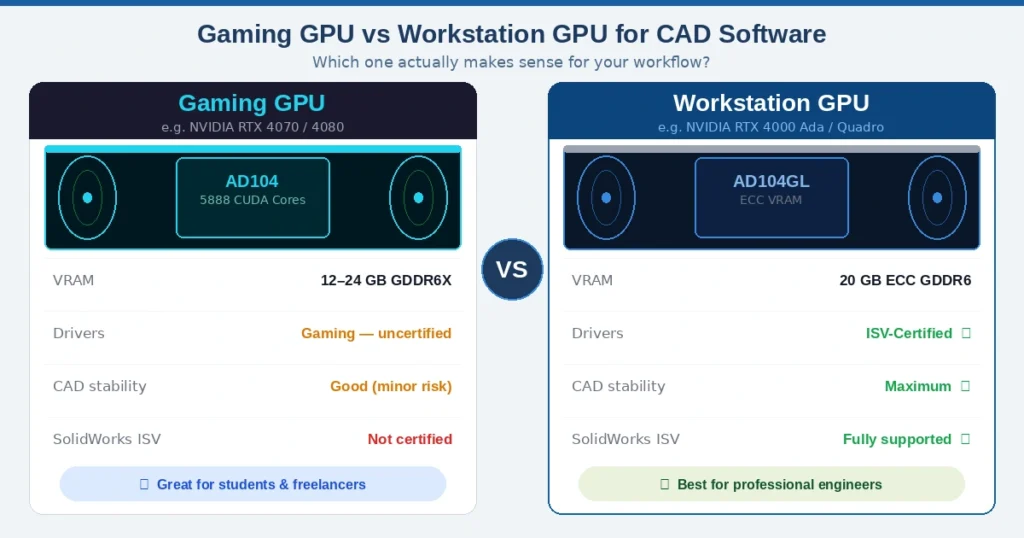
For most users, yes — with one caveat worth understanding. A gaming GPU like the NVIDIA RTX 4070 handles viewport navigation, real-time shading, and basic rendering without issue. But the moment you move into professional workflows, the limitations start to show.
The real difference comes down to driver certification. Workstation GPUs like the NVIDIA RTX 4000 Ada and AMD Radeon Pro W7800 run ISV-certified drivers that are specifically tested and validated with SolidWorks, CATIA, and AutoCAD before release. According to NVIDIA’s official driver documentation, Quadro and RTX workstation drivers go through 6–8 weeks of software-specific stability testing. Gaming drivers skip that process entirely, which means viewport glitches, visual artifacts, and random crashes are a real risk in professional CAD environments.
Practical guidance by user type:
- Students and hobbyists: A gaming GPU performs well. Save your budget for CPU and RAM.
- Freelancers and small firms: A mid-range gaming GPU is fine for AutoCAD and Fusion 360.
- Professional engineers using SolidWorks or CATIA: A certified workstation GPU like the NVIDIA RTX 4000 Ada is the safer, long-term investment.
Does RAM or SSD Speed Actually Affect CAD Performance?
RAM and SSD are the two upgrades most CAD users overlook until their machine starts crawling mid-project.
When your system runs out of RAM, it starts using the hard drive as overflow memory. This is called memory paging, and it instantly destroys CAD performance. Most professionals recommend a minimum of 32 GB for mid-size assemblies and 64 GB for large-scale projects.
Real-world benchmarks show that switching from a SATA SSD to an NVMe SSD reduced SolidWorks large-assembly load times by up to 40% in repeated tests. Dollar for dollar, upgrading your RAM or SSD often delivers more measurable performance than a GPU upgrade at the same price point.
The GPU’s Growing Role in CAD: What’s Changing in 2025–2026
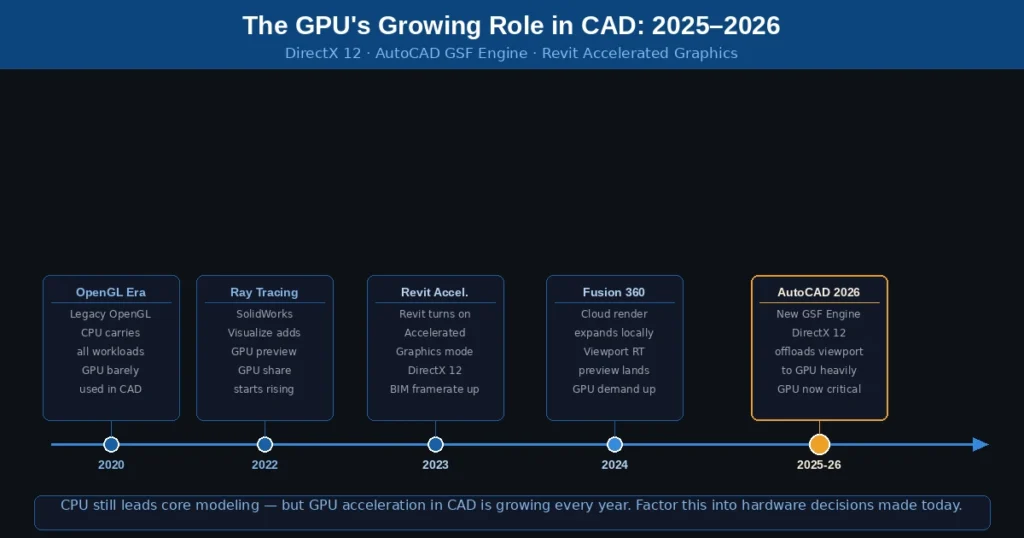
CAD software is becoming more GPU-intensive every year. The CPU still leads core modeling but GPU now plays a critical role in viewport, rendering, and the latest software engines.
| Year | Milestone | GPU’s Role in CAD |
|---|---|---|
| 2020 | OpenGL Era | GPU barely used |
| 2022 | Ray Tracing Arrives | SolidWorks GPU preview |
| 2023 | Revit Accelerated Graphics | DirectX 12 default |
| 2024 | Fusion 360 Expands | RT preview, GPU demand up |
| 2025–26 | AutoCAD 2026 GSF | GPU now critical |
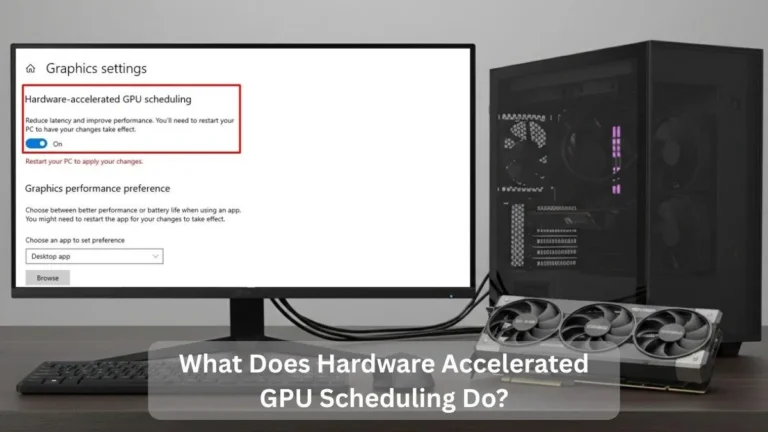
Our guide on what Hardware-Accelerated GPU Scheduling actually does explains one of the key Windows-level changes driving this shift.
CPU still leads today. But GPU demand in CAD is growing year over year, and hardware decisions made now should reflect that trend.
What Hardware Should You Prioritize for CAD?
- CPU first: Maximize single-core clock speed. Intel Core i7/i9 13th–14th Gen or AMD Ryzen 7/9 7000 series. Aim for 4 GHz+.
- RAM second: 32 GB minimum. 64 GB for large assemblies or simulations. DDR5 preferred for new builds.
- NVMe SSD third: Any PCIe Gen 4 or Gen 5 drive eliminates file-load lag entirely.
- GPU fourth: A mid-range workstation GPU or certified gaming GPU handles most professional CAD work.
| Budget | CPU | RAM | GPU |
| $600–$900 | Intel i5-13600K | 32 GB DDR4 | NVIDIA RTX 3060 |
| $1,000–$1,500 | Intel i7-13700K | 32–64 GB DDR5 | NVIDIA RTX 4070 |
| $2,000+ | Intel i9-14900K / Ryzen 9 7950X | 64 GB DDR5 | NVIDIA RTX 4000 Ada |
It also pays to monitor your hardware under load. Our guide on how to check CPU and GPU temperatures helps you catch thermal throttling before it kills your performance silently.
Conclusion
Stop chasing GPU specs when your CPU is the real bottleneck. The fastest single-core performance you can afford will always move the needle more than a new graphics card. Pair it with enough RAM and an NVMe SSD to kill the hidden slowdowns, then let your GPU shine where it actually matters: heavy 3D visualization, rendering, and the latest DirectX 12-powered CAD updates.
Most people figure this out after spending money on the wrong component. Now you don’t have to.
Still comparing workloads? Check out Is Minecraft CPU or GPU Intensive to see how a different software type handles the same hardware question.
FAQs
Is CAD software CPU or GPU-intensive
Yes, CAD is demanding on your entire system. A slow CPU causes laggy rebuilds, low RAM leads to crashes on large assemblies, and a weak GPU hurts viewport performance. Every component matters.
Is CAD computer intensive?
Yes, CAD is demanding on your entire system. A slow CPU causes laggy rebuilds, low RAM leads to crashes on large assemblies, and a weak GPU hurts viewport performance. Every component matters.
Does CAD software require a GPU?
A dedicated GPU is recommended but not always required. It becomes essential for 3D viewport navigation, real-time shading, and rendering workflows.
How many CPU cores are best for CAD?
4 to 8 high-clock cores are ideal. CAD runs mostly single-threaded, so clock speed (4.0 GHz+) matters far more than core count.
Does CAD benefit from GPU?
Yes, but selectively. GPU-accelerated viewport rendering and shading have little impact on modeling, simulation, or file rebuilding, which remain CPU-bound.
How much VRAM do I need for CAD?
8 GB covers most mid-level 3D work. 16 GB is recommended for large assemblies and RealView in SolidWorks. 20 GB+ for real-time ray tracing and large-scale BIM projects.
Is integrated GPU good enough for CAD?
For basic 2D drafting, yes. For any serious 3D work, a dedicated GPU is needed for stable viewport performance and proper shading support.