Is 50°C Safe for CPU at Idle? Normal Temps & Real Risks Explained

Yes, 50°C is safe for a CPU at idle on most modern processors.
Normal idle temperatures range between 30°C and 50°C, depending on cooling, airflow, and room temperature. While 40°C is ideal, 50°C does not harm the CPU as long as load temperatures stay below safe limits.
In this guide, we explain why a CPU may idle at 50°C, what causes higher idle temperatures, and how to lower them safely without affecting performance.
Is 50°C Too High for Idle Temperatures?
Many users ask, “Is 50°C safe for a CPU at idle?” The answer is yes. For modern processors, this temperature is generally safe and not considered too high. While 30°C to 40°C is ideal, 50°C at idle remains within acceptable limits for most CPUs. The actual safety depends on your cooling system and ambient temperature. If load temperatures stay below 80°C, your 50°C idle reading is perfectly normal.
To understand the absolute safe and dangerous CPU temperature limits, read our complete guide:
What Temp Is Too Hot for CPU?
Is a CPU Idle Temperature of 40°C to 50°C Considered Normal?
A CPU idle temperature of 40 to 50°C is generally considered normal for most modern processors. The exact number depends on cooler type, case airflow, and room conditions. For desktops with good airflow, 40°C is ideal; however, laptops and stock cooler systems often operate closer to 50°C.
| Idle Temp Range | Meaning |
| Below 40°C | Excellent: strong cooling and airflow |
| 40–50°C | Normal: safe for daily use |
| 50–60°C | Slightly high: check airflow and background tasks |
| Above 60°C | Concerning: may indicate cooling or a hardware issue |
Overall, this range is safe, but staying near the lower end ensures better long term stability.
What Causes Consistent 50°C CPU Idle Temperatures?
A steady idle temperature of 50°C usually happens due to the system setup and environment. Minor issues with cooling, background usage, or hardware configuration can easily cause the temperature to rise, even when the CPU is not under load.
- Background Processes: Apps or updates running silently can keep the processor slightly active.
- Poor Case Airflow: Limited ventilation or blocked fans stop hot air from escaping.
- BIOS or Voltage Settings: Higher default voltages often cause unnecessary heat at idle.
- Ambient Room Temperature: A hot environment directly raises idle CPU temperature.
- Old Thermal Paste: Worn out paste between the CPU and cooler reduces heat transfer efficiency.
Keeping an eye on airflow, paste quality, and software activity usually helps reduce idle numbers.
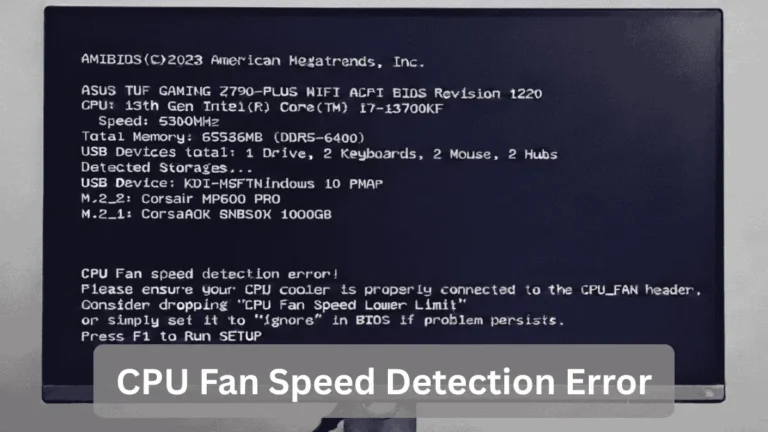
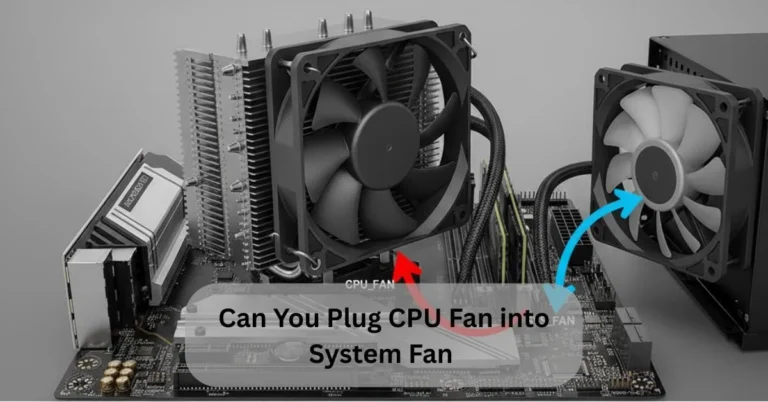
Improper fan connections or incorrect fan headers can also raise idle temperatures.
Also Read: Can you Plug CPU Fan into System Fan? – Full Guide!
CPU and GPU at 50°C–60°C When Idle?

Many readers specifically ask is 50°C Safe for CPU at Idle, especially when GPU temps also stay near this range. Having both CPU and GPU idle at 50°C to 60°C can look concerning, but in many systems, it is still safe. The key factor is whether temperatures remain stable or continue to climb when no heavy tasks are running.
| Component | Idle Temp (Safe Range) | When to Worry |
| CPU | 40°C to 50°C normal, 60°C borderline | Above 65°C idle may point to a cooling issue |
| GPU | 40°C to 55°C normal, 60C still safe | Above 65°C, the idle may show a fan or driver problem |
CPU and GPU temperatures of 50 to 60°C are generally not dangerous, but cleaning fans, improving airflow, and monitoring usage help ensure they remain healthy in the long term.
Is 50°C Idle Normal for a CPU with a Stock Cooler?
A CPU idle temperature of 50°C is pretty standard when using a stock cooler. These coolers are designed for basic performance and safe limits, not ultra-low temperatures. Many users specifically ask is 50°C Safe for CPU at Idle when using only a stock cooler, and the answer is yes, within safe limits.
Stock Cooler Limitations:
Smaller heatsinks and slower fans result in warmer temperatures.
When to Upgrade:
If idle temperatures exceed 55–60°C or fan noise is loud, consider switching to aftermarket cooling.
With stock cooling, a 50°C idle temperature is safe, but upgrading ensures lower temps and longer CPU life.
Is 50°C to 54°C CPU Temperature Okay with an AIO Cooler?
For an AIO cooler, idle temperatures of 50–54°C are slightly higher than expected, as most AIO setups typically keep CPUs at 35–45°C. Such readings may indicate weak fan curves, pump speed issues, or high ambient temperatures. Checking airflow and cooler performance can help reduce idle temperatures.
| Cooling Setup | Normal Idle Range | Safe but High | Needs Check |
|---|---|---|---|
| AIO Cooler (120mm) | 35–45°C | 46–50°C | 55°C+ |
| AIO Cooler (240mm) | 32–42°C | 46–50°C | 54°C+ |
| AIO Cooler (360mm) | 30–40°C | 44–48°C | 52°C+ |
Is 50°C Good Temperature for CPU While Gaming?

A CPU temperature of 50°C while gaming is excellent, indicating that the cooling system is working correctly. Most modern processors can handle much higher temps under load, so maintaining 50°C during gaming means your system is very healthy.
- Normal Gaming Range: 60–75°C for most CPUs
- High-Performance Chips: Up to 80–85°C under heavy load without damage
- Best Case: Staying at 50°C while gaming means plenty of thermal headroom
Gaming at 50°C is safe, efficient, and ideal for long-term processor health.
Is 50–60°C Idle Temperature for CPU Good or Bad?
A CPU idle temperature of 50°C to 60°C sits on the higher side of normal. While not immediately harmful, it suggests airflow or cooling may need improvement. Knowing Is 50°C Safe for CPU at Idle also means understanding how it impacts power, fan speed, and lifespan.
- Impact on Power Consumption: Higher idle temperatures mean a greater voltage draw.
- Impact on Fan Noise: Fans may spin faster and louder at 50°C.
- Impact on CPU Lifespan: More heat = faster thermal paste wear.
How to Accurately Monitor CPU Idle Temperatures?
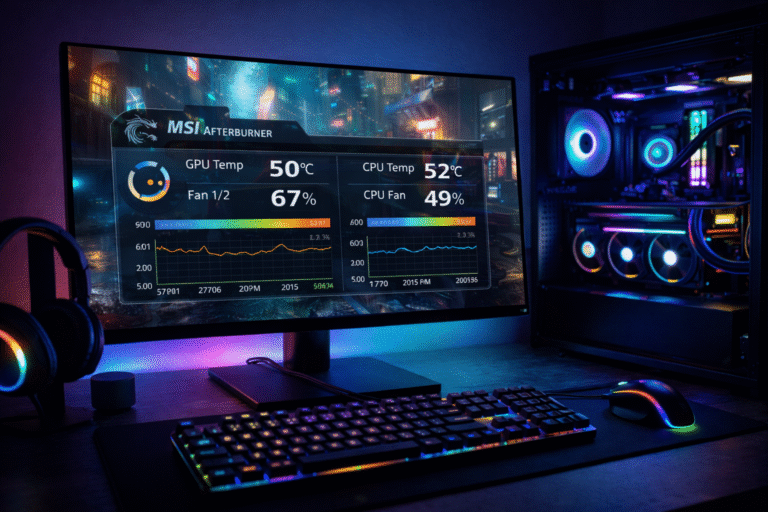
Monitoring CPU idle temps correctly helps maintain system health. Use reliable software such as HWMonitor or Core Temp. Close all apps, wait 10 minutes, and then record the temperatures. Consistent monitoring helps identify cooling issues early.
Best Software Options:
- HWMonitor: Comprehensive monitoring
- Core Temp: Lightweight and accurate
- NZXT CAM: User-friendly interface
Proper Monitoring Steps:
- Install monitoring software.
- Close background apps.
- Wait for temps to stabilize.
- Record idle readings.
- Compare with manufacturer specs.
Common Mistakes:
- Checking temps with apps running
- Not waiting for proper idle.
- Using unreliable tools
- Ignoring room temperature
Optimal BIOS Settings for Reducing 50°C Idle Temps
Optimizing BIOS settings can effectively reduce idle temps. Proper configuration minimizes unnecessary power usage and heat generation.
Recommended Adjustments:
- CPU Fan Profile: Set to aggressive Mode below 60°C.
- C-States Enable: Activate all power saving C-states
- CPU Voltage: Slight undervolting reduces idle temps.
- Spread Spectrum: Disable to reduce interference.
- Power Saving Mode: Enable CPU power management features.
Always note down original settings before making changes.
Best Practices to Keep CPU Idle Temps Lower:

Consistent care prevents gradual temperature increases and ensures optimal performance.
Effective Practices:
- Regular Cleaning: Dust fans and heatsinks every 3 months.
- Thermal Paste: Replace every 2 years.
- Case Airflow: Maintain a balanced intake and exhaust.
- Background Apps: Disable unnecessary startup programs.
- Room Temp: Keep ambient below 25°C.
This simple approach often reassures users asking, Is 50°C Safe for CPU at Idle.
Long Term Effects of Keeping CPU Idle at 50°C:
A CPU idle temp of 50°C is safe, but long-term it can have minor effects on efficiency and durability.
- Thermal paste breaks down faster.
- Fans run more frequently.
- Dust accumulates more quickly.
Regular cleaning and proper cooling can help mitigate these effects.
FAQ’s:
1. Is 50°C safe for the laptop CPU?
Yes, 50°C is completely safe for laptop CPUs. Due to compact design and limited airflow, laptops normally run warmer than desktops, even at idle.
2. Can Windows Updates Cause 50°C Idle?
Yes. Background Windows updates and system services use CPU resources temporarily, which can raise idle temperatures until the process finishes.
3. Is 30°C Idle Better than 50°C?
30°C is more efficient, but both temperatures are safe. Lower idle temps can reduce fan noise and slightly improve long-term hardware lifespan.
4. Should I undervolt at 50°C Idle?
No, undervolting is not necessary at 50°C idle. Consider undervolting only if idle temperatures consistently exceed 60°C or if thermal throttling occurs under load.
5. Does Room Temperature Affect Idle Temps?
Yes. A room temperature around 30°C can increase CPU idle temperatures by 10–15°C, making 50°C idle common during summer.
Conclusion:
A CPU idle temperature of 50°C is generally safe and non-harmful for modern processors. When users ask, “Is 50°C safe for CPU at idle?” the answer depends on factors like airflow, thermal paste condition, background activity, and ambient room temperature.
By ensuring proper cooling, good case airflow, and regular monitoring, you can keep idle temperatures stable and maintain long-term CPU health without unnecessary tweaks.