Is Fortnite CPU or GPU Heavy? (2026 Complete Guide)

Fortnite is mostly CPU‑bound in competitive and Performance modes, especially at 1080p and lower settings. As you increase resolution and graphics quality, the GPU becomes more important. The exact balance depends on your settings, resolution, and target FPS.
Is Fortnite CPU or GPU heavy in 2026? Many players ask this because the answer directly affects FPS, stutters, and overall smoothness.
This guide reflects current Fortnite (UE5) behavior, community benchmarks, and real-world performance patterns across modern PC builds.
How Fortnite Uses Your CPU and GPU in 2026:
Fortnite splits its workload between the CPU and GPU, but not evenly. In fast‑paced matches with building, edits, and many players on screen, the CPU often becomes the limiting factor.
What the CPU Does in Fortnite:
The CPU handles:
- Player movement and input
- Physics and collision detection
- Building mechanics and edit calculations
- Game logic during busy fights and end‑games
In competitive scenarios, the CPU must respond extremely fast, which is why Fortnite favors strong single‑core and cache performance.
GPU Role in Rendering:
The GPU focuses on:
- Textures and materials
- Lighting, shadows, and effects
- Resolution scaling and post‑processing
On low or Performance settings, the GPU has less work to do, shifting the performance bottleneck toward the CPU.
Overall Balance in 2026:
With Unreal Engine 5 improvements, Fortnite scales better on modern hardware, but Performance Mode remains primarily CPU‑limited, while higher graphics presets create a more balanced CPU‑GPU workload.
Fortnite Benchmarks: CPU vs GPU (Practical Trends):
Instead of exact FPS promises, these examples reflect common performance trends observed on modern systems.
Performance Mode (Low Settings, 1080p):
In competitive settings at 1080p, high‑end CPUs paired with mid‑range GPUs can achieve very high frame rates. In these cases:
- CPU usage often spikes significantly
- GPU usage stays relatively low
This indicates a CPU‑bound scenario in which upgrading the GPU alone yields limited gains.
Epic Settings (DX12, Higher Resolutions):
At 1440p or above with Epic settings:
- GPU usage rises sharply
- CPU load becomes more moderate
Here, visual quality shifts more responsibility to the GPU, making a balanced system more important.
Resolution Scaling Impact (1080p → 4K):
As resolution increases:
- GPU demand rises
- CPU limitations become less noticeable
At 4K, even very fast CPUs can be limited by the GPU, especially with high or Epic presets.
Example Performance Patterns (Illustrative):
| Hardware Tier | Resolution | Settings | FPS Range | CPU Load | GPU Load |
| Modern CPU + Mid GPU | 1080p | Performance | Very High | High | Low–Moderate |
| High‑End CPU + Strong GPU | 1440p | Epic | High | Moderate | High |
| Balanced High‑End System | 4K | High | Moderate | Moderate | Very High |
Results vary by patch, drivers, and background processes. For deeper optimization, see our guide on How to Reduce CPU Usage While Gaming.
Why Fortnite Often Feels CPU‑Heavy:
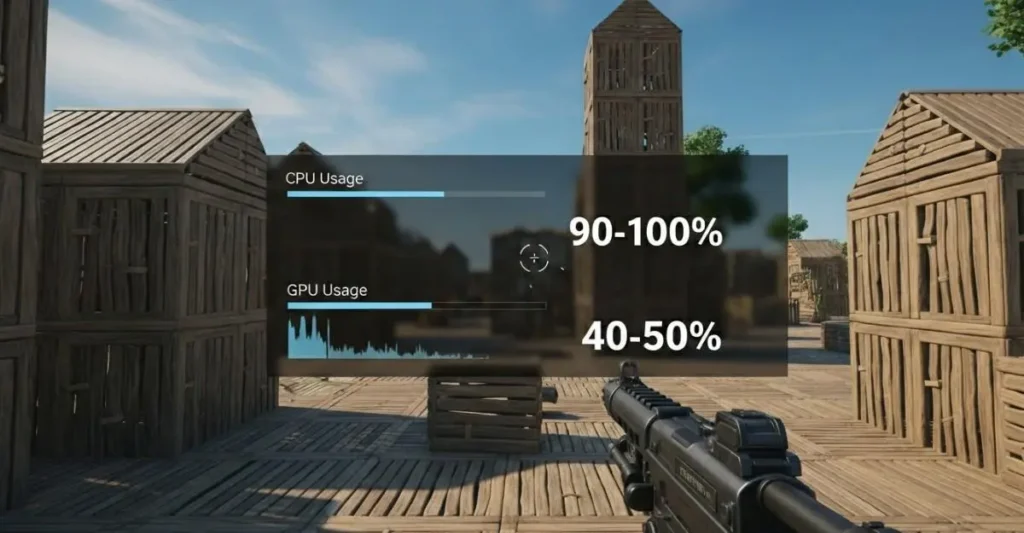
Many players experience high CPU usage even on powerful systems. Common reasons include:
Limited Core Scaling:
Fortnite benefits more from fast cores than many slow ones. Older quad‑core CPUs can hit full utilization quickly, leading to stutters.
Crowded Areas and Building Fights:
End‑game scenarios with rapid building and edits stress the CPU heavily, causing frame drops even when the GPU is underused.
RAM Speed and Latency:
Slow memory can hold the CPU back. Faster DDR4 or DDR5 memory often improves minimum FPS and overall smoothness.
When the GPU Matters More in Fortnite:
The GPU becomes critical when:
- Playing at higher resolutions (1440p or 4K)
- Using Epic settings or higher visual effects
- Enabling features that increase graphical complexity
Ray Tracing and Visual Effects:
Ray tracing significantly increases GPU load. Most competitive players disable it to maintain higher FPS.
Streaming and Recording:
Using GPU‑based encoders (such as NVENC) reduces CPU strain and helps maintain stable frame rates while streaming.
Best CPU Choices for Fortnite‑Style Performance:
Rather than exact models, focus on characteristics:
- Strong single‑core performance
- Large cache (beneficial for Fortnite)
- Modern architecture with efficient memory support
Mid‑to‑high‑tier gaming CPUs from recent generations generally deliver excellent results at 1080p and 1440p. If temperatures are a concern, check Is 80°C Hot for a CPU During Gaming or Heavy Load?
GPU Pairing Tips for Fortnite:
Choose your GPU based on resolution and visual goals:
- 1080p / High FPS: Mid‑range GPUs are often sufficient when paired with a strong CPU
- 1440p / High Refresh: A more powerful GPU helps maintain smooth visuals
- 4K / Visual Quality: GPU performance becomes the main limiter
Avoid pairing a powerful GPU with a weak CPU, as this can waste potential performance.
Fortnite CPU vs GPU Settings Guide:
Competitive (CPU‑Focused):
- Performance Mode
- Shadows off
- Medium view distance
- Lower effects
Balanced Visuals:
- DX12 rendering
- Moderate shadows and textures
- Monitor for stutters on older CPUs
DX11 vs DX12:
- DX11 often feels smoother on CPU‑limited systems
- DX12 improves GPU utilization on newer hardware
Fix High CPU, Low GPU Usage in Fortnite:
If your CPU is maxed while the GPU is underused:
- Update GPU drivers
- Disable overlays (Discord, browser, recording tools)
- Use a high‑performance Windows power plan
- Enable XMP/EXPO for faster memory
- Cap FPS to your monitor’s refresh rate
If GPU usage seems abnormal, see GPU Usage So High on Windows? Easy Fixes That Work.
Common Mistakes That Cause FPS Drops:
- Expecting GPU upgrades to fix CPU bottlenecks
- Ignoring RAM speed and latency
- Running heavy background apps
- Using DX12 on older or weaker CPUs
Monitor Your Bottlenecks:

Tools like MSI Afterburner help identify limits:
- CPU at 100% with low GPU usage → CPU‑bound
- GPU near full usage → GPU‑bound
Test in quiet areas and intense fights to compare behavior.
Expert Tips for 300+ FPS in 2026:
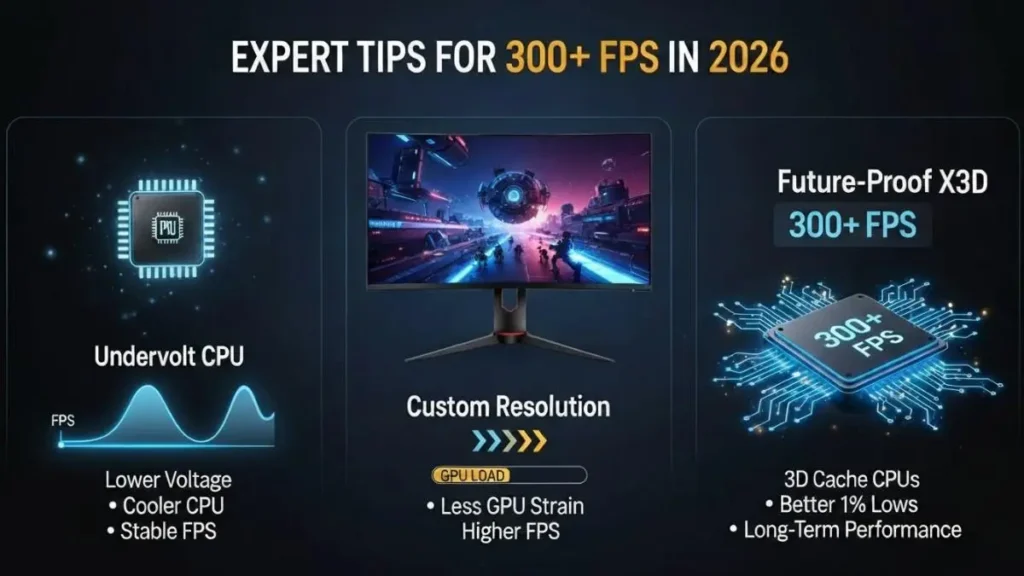
Go beyond basic settings with these advanced optimizations:
Undervolt CPU (Advanced Users):
Lower CPU voltage to reduce temperatures and maintain stable boost clocks for smoother, more consistent FPS. Intel users can try ThrottleStop, while AMD users may use Curve Optimizer in PBO. Always stress-test for stability.
Optimized Resolution & Scaling:
Use lower or optimized resolutions to reduce GPU load and improve frame consistency without affecting competitive clarity or responsiveness.
Future-Proof with High-Cache CPUs (X3D):
CPUs with large 3D cache deliver better 1% lows and smoother performance in CPU-heavy scenarios, helping maintain high FPS over the long term.
Want deeper performance tweaks? See how to reduce CPU usage while gaming for smoother FPS.
Recommended CPU & GPU Pairings for Fortnite (2026)
Based on these CPU-GPU workload patterns, the following pairings represent realistic and achievable performance expectations for Fortnite in 2026 across competitive and visual settings.
| Performance Tier | CPU Class | GPU Class | What to Expect |
|---|---|---|---|
| Entry-Level | Modern 6-Core CPU | Mid-Range GPU | Smooth 144 FPS at 1080p on Performance Mode |
| Competitive | High-Cache / Fast CPU | Upper Mid-Range GPU | Consistent 200–240 FPS for competitive play |
| Enthusiast | Top-Tier Gaming CPU | High-End GPU | High FPS at 1440p with improved visual quality |
Note: Actual performance depends on settings, drivers, background apps, and in-game scenarios.
FAQs:
1. Is Fortnite CPU or GPU heavy in 2026?
Fortnite is mostly CPU-heavy in performance modes, while the GPU becomes more important at higher resolutions and visual settings.
2. Why is Fortnite showing high CPU but low GPU usage?
This usually indicates a CPU bottleneck caused by settings, background tasks, or older hardware.
3. What matters more for 240 FPS?
A fast CPU with strong single‑core performance, paired with a capable GPU.
4. Is Fortnite more GPU‑intensive after UE5 updates?
Slightly, but CPU performance remains crucial for high frame rates.
5. Why does Fortnite stutter on a high‑end PC?
Thermal throttling, RAM configuration, or unoptimized settings are common causes.
Conclusion:
Fortnite remains CPU‑focused for competitive play, where fast reactions and high FPS matter most. The GPU becomes increasingly important at higher resolutions and visual settings. By balancing your hardware, optimizing settings, and monitoring usage, you can eliminate stutters and achieve a smoother Fortnite experience in 2026.
Explore more PC hardware and optimization guides on TechiDream for deeper tuning tips.