What Temp Should My GPU Be? – Safe Ranges 2025!

If you are wondering what temp my GPU should be during gaming or heavy workloads, the short answer is that modern GPUs are designed to handle higher temperatures than older models. Understanding safe temperature ranges helps prevent thermal throttling, reduce fan noise, and extend the lifespan of your graphics card.
This guide explains the safe temperature limits for NVIDIA and AMD GPUs, provides typical gaming temperatures for popular models, highlights warning signs to watch for, and offers practical methods to lower GPU temperatures by 10–20°C.
What Is a Safe GPU Temperature?
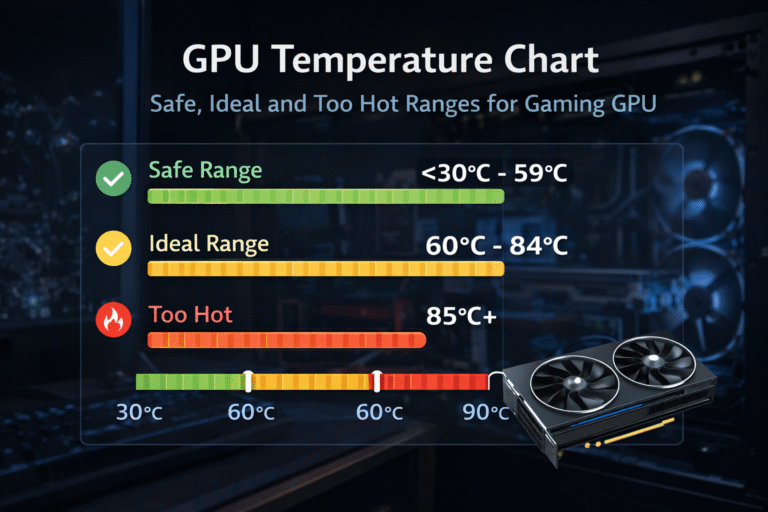
Safe temps that are 100% safe in 2025 (RTX 40/50-series and RX 7000/8000-series):
- Idle: 30–50°C
- Light use (browsing, YouTube): 40–60°C
- Gaming/heavy load: 65–85°C core (short spikes to 90–95°C are fine)
- Hotspot/Junction: Usually 15–35°C above core temp
NVIDIA GPUs are designed to automatically throttle as temperatures approach the high-80s to low-90s °C range, reducing clocks long before any damage can occur.
AMD GPUs are designed to handle higher hotspot (junction) temperatures. On RDNA-based cards, hotspot readings around 100–110°C are normal and part of the boosting and thermal design, as long as performance stays stable and throttling is minimal.
As long as your GPU stays within these ranges, built-in thermal protections always engage before temperatures become unsafe. This behavior is part of the GPU’s core design and is handled automatically by the driver and firmware.
Also Read: Is 80 Degrees Celsius Hot for a CPU? – Safe Temp 2025!
What Temperature Is Too Hot for a GPU?
“Too hot” basically starts when the core stays above 95°C or hotspot above 110°C for prolonged periods. That’s when heavy throttling hits and, over months/years, you might see slightly accelerated wear.
NVIDIA begins pulling clocks around 87–90°C core. AMD keeps boosting until 10°C hotspot. Your PC will emergency-shutdown somewhere around 105–115°C anyway, so real thermal damage rarely happens in normal gaming.
Also Read: What Temp Is Too Hot for CPU? – Keep It Cool!
What Should My GPU Temperature Be While Gaming?
You want to see 60–85°C core while gaming. That’s the sweet spot where everything runs fast, quiet-ish, and happy.
Real-world 2025 gaming temperatures with popular cards.
| GPU Model | Average Gaming Temp (Core) | Hotspot Temp | Notes |
| RTX 4090 | 70–78°C | 85–95°C | |
| RTX 4080 / 4070 Ti Super | 65–75°C | 80–90°C | |
| RTX 4070 / 4060 | 60–72°C | 75–88°C | Insanely good thermals |
| RX 7900 XTX | 65–75°C | 90–105°C | AMD loves running the hotspot hot |
| RX 7800 XT | 62–72°C | 85–98°C | |
| Laptop RTX 4090 | 80–88°C | 95–105°C | Totally normal for laptops |
Also Read: How to Reduce CPU Usage While Gaming – 2025 Tips
Should I Worry If My GPU Reaches 90°C?
No, you really don’t need to worry if your GPU hits 90°C for short bursts during heavy gaming. Today’s cards whether it’s an RTX 40/50 series from NVIDIA or an RX 7000/8000 from AMD are designed to handle those temperatures without any issues.
They have built-in safeguards that throttle performance well before anything gets damaged, and both companies confirm that occasional spikes like this will not harm the card or void your warranty. If it stays pegged at 90°C+ for long periods though, that’s when you might want to look at better airflow or cleaning dust just to keep things running smoother and quieter.
How Do I Check GPU Temperature in Windows?
Super easy, no extra software needed for the basics:
- Press Ctrl + Shift + Esc to open Task Manager, go to the Performance tab, click GPU, and the temperature is right there.
- Press Win + G to bring up Xbox Game Bar, then open the Performance widget.
- For NVIDIA, right-click the desktop, open NVIDIA Control Panel, and turn on the temperature in the overlay settings.
- For AMD, right-click the desktop, open AMD Radeon Software, switch to the Performance tab, and check Metrics.
But honestly, once you get a proper in-game overlay set up (I just tap F12 and everything pops up), you will never want to Alt-Tab to Task Manager again. Temps, FPS, usage all right there while you play.
What Tools Can I Use to Monitor GPU Temperature?
Here’s what actually works in 2025 (all free):
- MSI Afterburner + RivaTuner: Still the king. Fan curves, overlay, hotspot readouts, I have used them daily for years.
- HWInfo64: If you want every single sensor reading known to man (great for spotting a dying VRAM module early).
- GPU-Z: Tiny, no install, perfect for a 5-second check.
- NZXT CAM: Looks gorgeous if you care about aesthetics.
- AMD Adrenalin: AMD owners, just use the built-in one, it is excellent.
How to Lower GPU Temperature?
Dropping your GPU temps does not have to be complicated most fixes are quick free and can make your setup quieter too. I have knocked 10–15°C off my own cards just with the basics so start there.
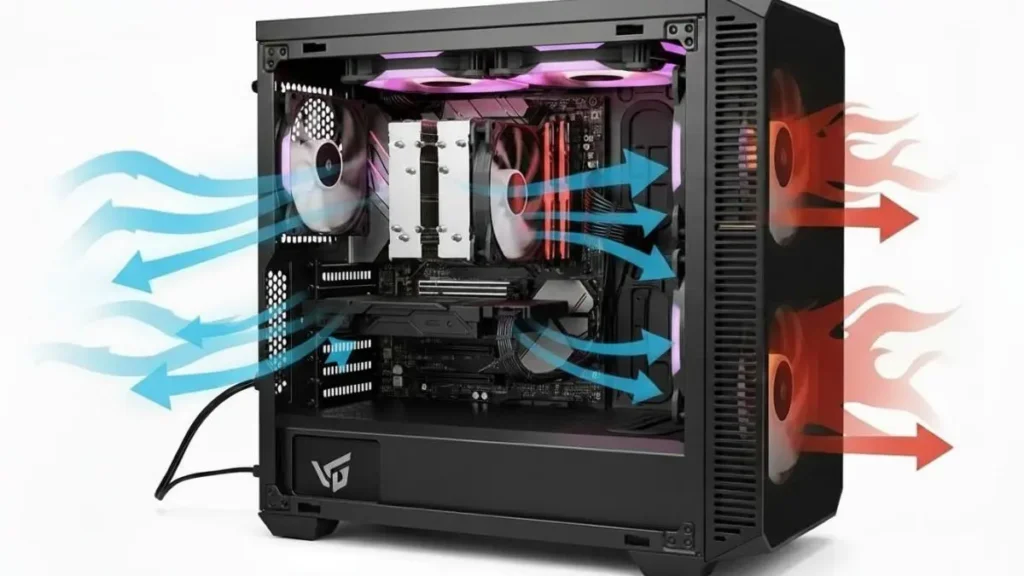
Here are the best proven methods to cool your GPU:
- Clean dust from filters, fans and heatsinks with compressed air – often the biggest free win
- Set an aggressive fan curve in MSI Afterburner so fans ramp up faster
- Increase fan speed manually to 70–80% for an instant 10°C+ drop louder but effective
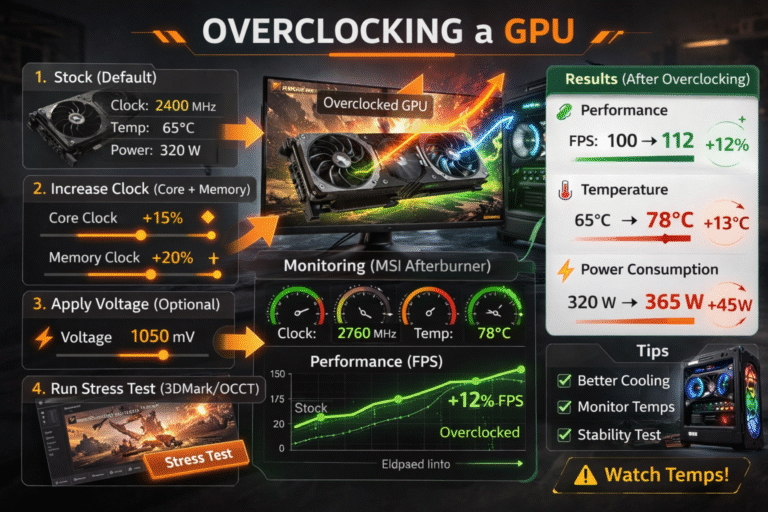
- Undervolt the GPU in Afterburner 10–20°C cooler with zero performance loss my absolute favorite
- Limit FPS in games to 144 or 240 to reduce heat output
- Lowering your room temperature by even 5°C every bit helps
- Add more front intake fans for better airflow over the GPU (8–12°C drop)
- Reapply thermal paste if the card is old, usually 8–15°C improvement
If the basics are not enough and you are up for something more advanced try a hybrid AIO cooler. Basically, you mount a regular CPU-style liquid cooler onto your GPU with a bracket kit like the NZXT Kraken G12. It is way better than stock air cooling but not as crazy as full custom often drops temps 20–30°C easily.
Does Undervolting Reduce GPU Temperatures?
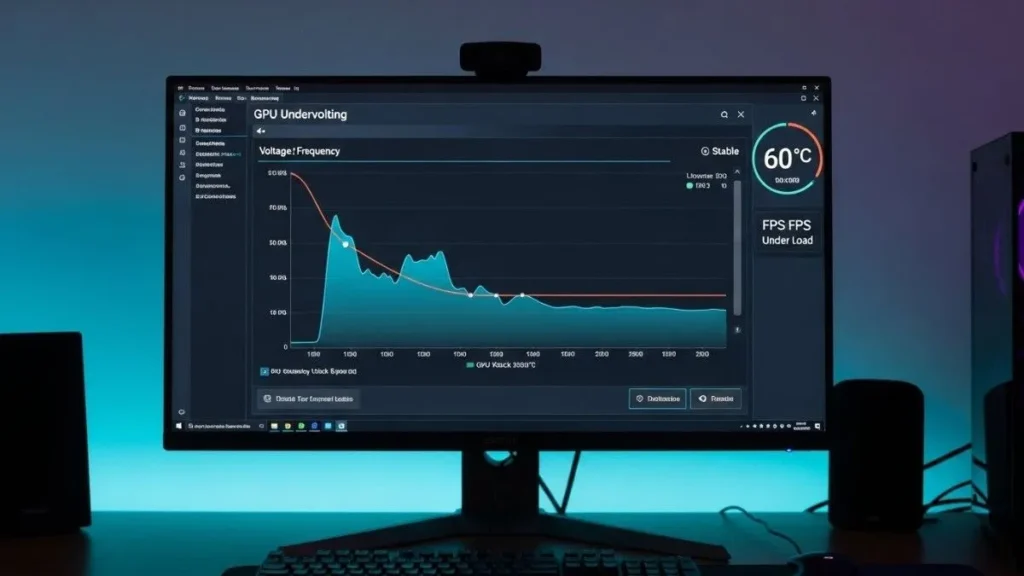
Yes, it is very effective and safe when done correctly.
Real numbers from my own cards:
- RTX 4090 stock: 75°C gaming
- Undervolted to 875 mV: 62–65°C – same FPS
RX 7900 XTX went from 72°C core / 102°C hotspot and 60°C / 88°C hotspot. Night and day difference in noise too.
Step-by-Step Undervolting (MSI Afterburner):
- Open Curve Editor (Ctrl + F)
- Pick your target frequency (e.g., 2700–2800 MHz)
- Drag every point to the right of it down to 850–900 mV
- Hit Apply, stress test (I use Cyberpunk or FurMark)
- Save the profile
Totally safe, does not void warranty.
Also Read: How to Undervolt CPU Safely (Intel & AMD Guide 2025)
What’s the Difference Between GPU Core and Hotspot Temperature?
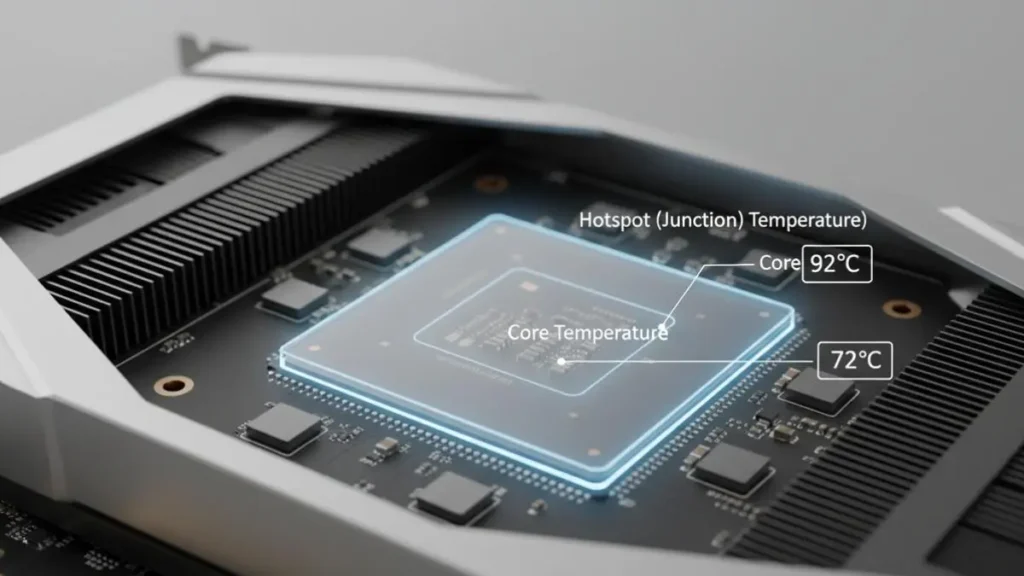
The main difference is that GPU core temperature is the average heat across the whole chip, while hotspot (or junction) temperature is the reading from the single hottest spot on the die, think of it like the peak heat in one specific area.
It is totally normal for hotspot to run higher than core, and the gap varies by brand and model.
Core Temperature: Average across the entire die.
Hotspot (Junction) Temperature: The single hottest point on the chip.
On RTX 40/50 series, hotspot is typically 10–20°C higher than core up to 25°C is still fine on good coolers.
AMD RDNA 3 cards (RX 7000/8000 series) are designed to run with a 20–35°C hotspot-to-core difference for better efficiency.
A bigger gap can sometimes mean dust buildup or needing fresh thermal paste, but if you are under safe limits, 90–95°C hotspot for NVIDIA, up to 110°C for AMD.
What Is TjMax or Junction Temperature in GPUs?
TjMax is the maximum safe hotspot (junction) temperature a GPU can reach. When the GPU hits this limit, it automatically reduces performance or shuts down to prevent damage. On modern cards, NVIDIA GPUs are usually rated around 105–110°C, while AMD GPUs can reach 110–115°C. Staying 15–20°C below TjMax is ideal for long-term stability.
Are Laptop GPU Temperatures Higher Than Desktop GPUs?
Yes, laptop GPUs usually run hotter than desktop GPUs because cooling space is very limited. During gaming, seeing 80–90°C core and 95–105°C hotspot temperatures on modern gaming laptops is completely normal.
This is expected behavior, not a fault. Laptop GPUs are designed to work safely at higher temps and will slow down before damage happens. A basic cooling pad can still lower temps by 8–12°C.
Are AMD GPUs Designed to Run Hotter Than NVIDIA GPUs?
Yes. AMD GPUs are designed to tolerate higher hotspot (junction) temperatures, often reaching 95–110°C under load to maximize boost efficiency. An RX 7900 XTX hitting 100–105°C hotspot is normal behavior. NVIDIA prefers lower temperatures and quieter operation, throttling earlier to control heat.
FAQs:
Is 85°C safe for GPU while gaming?
Yes. 85°C is perfectly safe and super common on both NVIDIA and AMD cards during gaming.
Will high GPU temperatures reduce lifespan?
Only sustained 100°C+ for months/years moves the needle. Normal 80–95°C gaming sessions have basically zero impact.
How often should I repaste my GPU?
Every 2–3 years on desktops, 1–2 years on laptops or whenever you notice temps creeping 10°C+ higher than before.
Can high GPU temps cause stuttering or crashes?
Only once thermal throttling kicks in (90°C+ NVIDIA, 110°C+ hotspot AMD). Below that you are good.
Does room temperature affect GPU temps?
Yes, room temperature directly affects GPU temps, and a 10°C warmer room can raise GPU temperature by about 5–8°C.
What is a good idle GPU temperature?
30–50°C with fans stopped, or 40–55°C with fans spinning, both great.
Conclusion:
What Temp Should My GPU Be depends on how hard it’s working, but staying under 85°C on the core and 95–100°C on the hotspot is a good target. Modern GPUs handle short 90°C spikes without issues. Simple habits like monitoring temps, undervolting, and cleaning dust help keep gaming smooth, quiet, and safe.